Scrappy 1.1
Scrappy 1.1 is now available. This version adds Shortcuts actions, Spotlight integration, tag names in the Thumbnails View, bookmarks import on iPhone and iPad, Go To List on Mac, and other improvements.
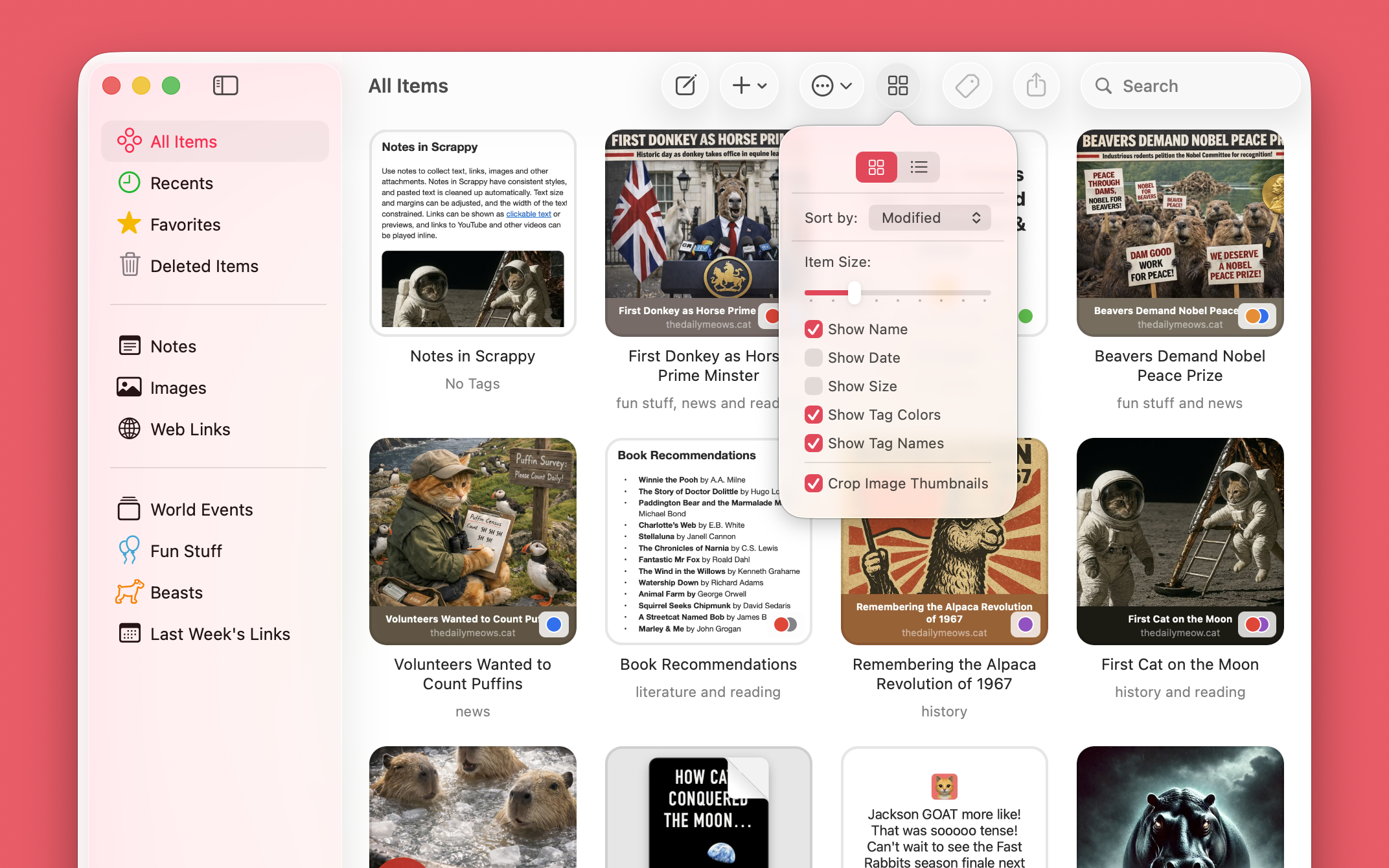
Tag Names in Thumbnails View
It’s now possible to see tag names below the thumbnails rather than just tag colors on the thumbnail itself. Enable this in View Options.
Spotlight
Scrappy is now integrated with Spotlight on Mac, iPad, and iPhone allowing you to see items from Scrappy in Spotlight’s results.
Shortcuts
Scrappy already included shortcut actions for adding text, links and files, and appending those things to notes. Version 1.1 adds 18 actions for working with items, tags and lists, allowing many more tasks to be automated.
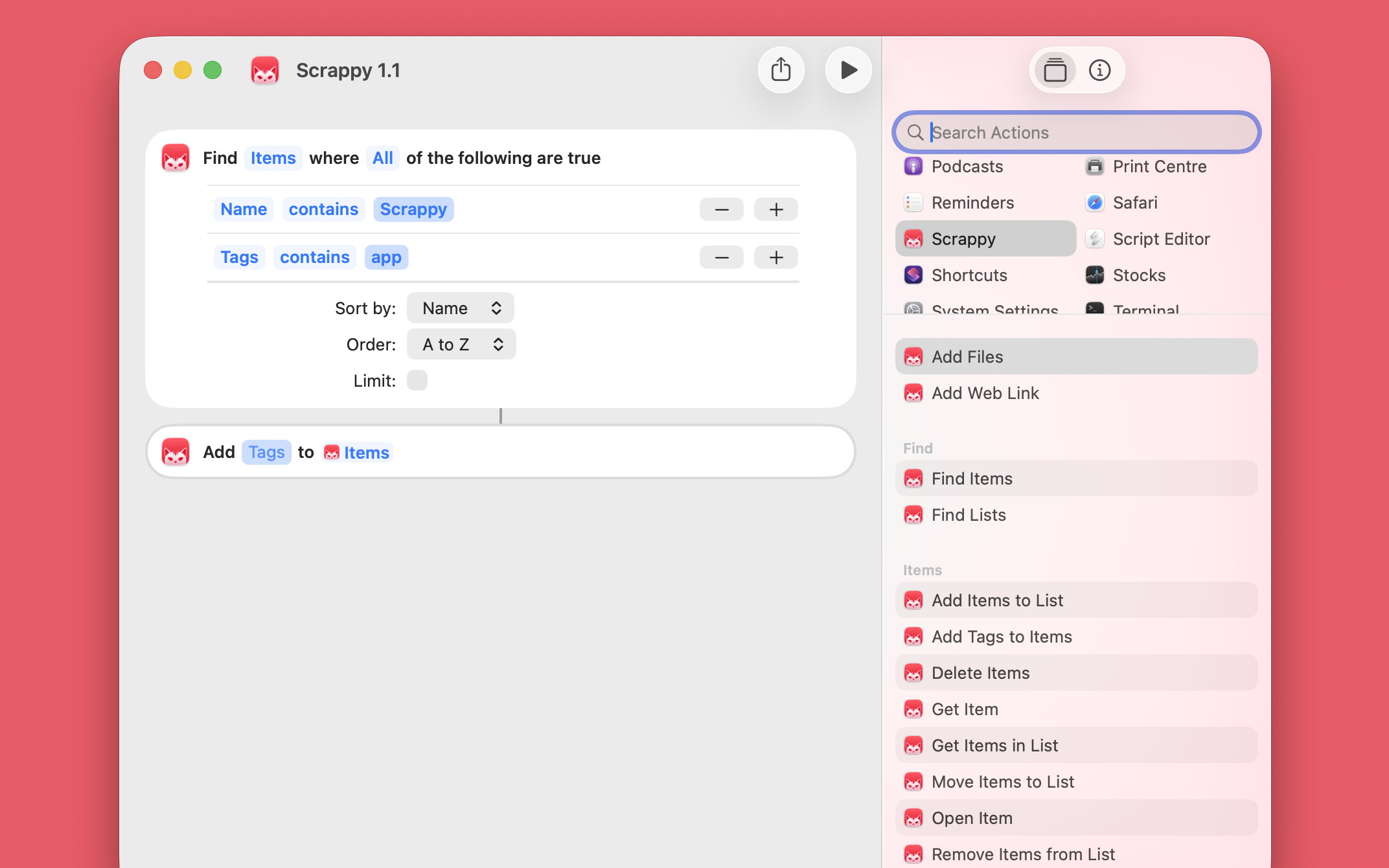
These are the new actions for lists:
- Add List
- Delete List
- Find Lists
- Get List
- Open List
- Rename List
And these are the new actions for items:
- Add Items to List
- Move Items to List
- Remove Items from List
- Delete Items
- Add Tags to Items
- Remove Tags from Items
- Find Items
- Get Item
- Get Items in List
- Get Text Content
- Rename Item
- Open Item
Bookmarks HTML Import
Many bookmarking services can export an HTML file of your links organized into folders, and some of those also include dates and tags. On Mac, Scrappy could already import and export bookmarks HTML files, preserving the hierarchy, dates and tags, and that’s now available on iPhone and iPad too.
To import, choose a single bookmarks HTML file, and Scrappy will ask whether to import the bookmarks rather than the file itself. Exporting the “Web Links” list will offer to export the links as individual web location files or a bookmarks HTML file.
Go To List
Scrappy for Mac can now find and open a particular list. Choose Go > Go to List from the menu and start typing.
More Search Options on iPhone and iPad
On iPad and iPhone, it’s now possible to tap on chosen search suggestions to modify them (you could already do this on Mac). The options shown will depend on the suggestion, but this allows you to change how dates are matched and negate certain terms, for example.
Availability
Scrappy is available for Mac, iPhone and iPad from the App Store, with a choice of Mac, mobile, and universal subscriptions. Existing users will get this update automatically. See the release notes for Mac, and for iPhone and iPad for a full list of changes.
If you’re enjoying Scrappy, please consider rating it and maybe even leaving a review on the App Store—these things really help apps get noticed. Thanks!