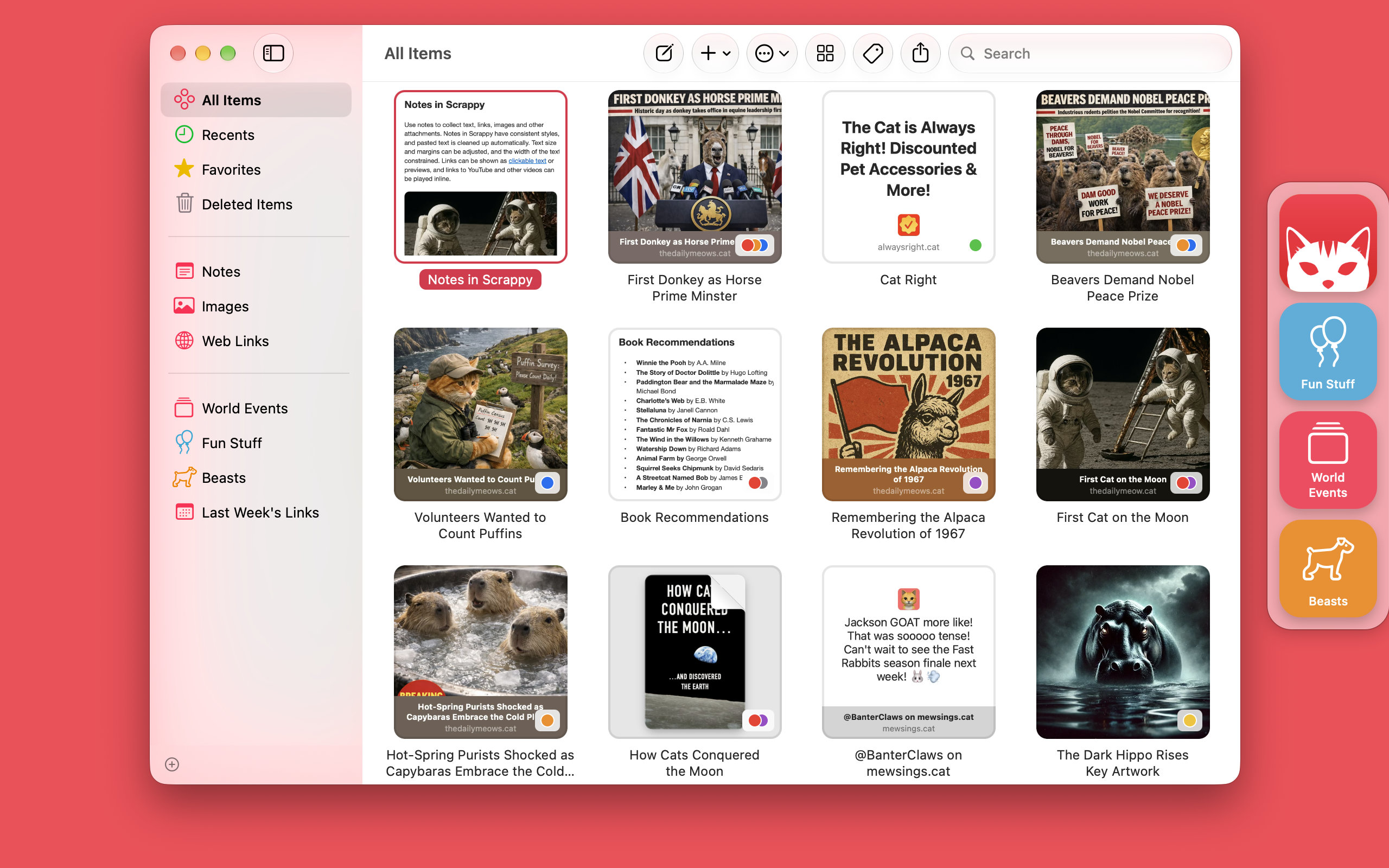
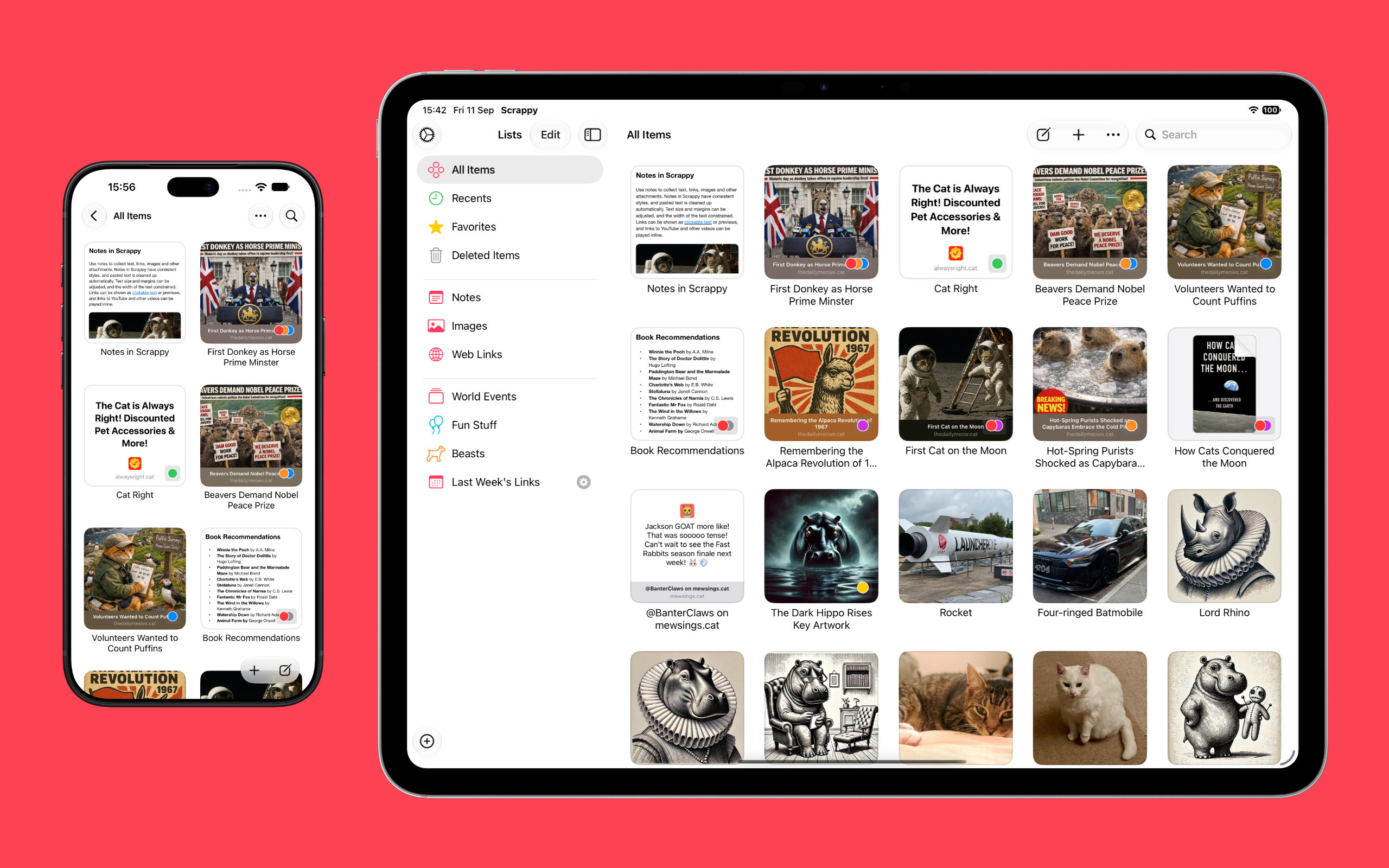
The app, which works on iPhone, iPad, and Mac, puts a handy shelf just off the edge of your Mac’s screen where you can drag items, and across all platforms, it features fast search and smart lists. Plus, thanks to Siri AI, you can search and open what you’ve saved and create and edit notes. There are filtering and sorting options, along with an extraordinarily long set of Shortcuts actions that make the app uniquely suited for automation. Scrappy also has a wonderfully modern card interface that takes advantage of Liquid Glass, and it displays previews of links, images, and other content. There are lots of “bucket apps” on the App Store, but Scrappy is one of my favorites.
Thanks to John for including Scrappy in that list of apps. Check out the full article, which also includes Haven, Structured, Capture, and Fin.
Scrappy 1.2 is now available. This version updates the user interface for Liquid Glass on macOS 27 Golden Gate, as well as integrates with Apple Intelligence on macOS 27, iOS 27 and iPadOS 27. Scrappy 1.2 also further bolsters its Shortcuts support, and improves management of iCloud downloads.
macOS 27 Golden Gate
Scrappy 1.2 is updated for Liquid Glass on macOS 27. Thumbnails and selected list rows have tighter corners to match the reduced window corners, web link articles no longer have rounded corners, and icons will only appear in menus when relevant. The appearance of date pickers in the smart list editor has also been improved.
Scrappy automatically benefits from other macOS 27 changes such as sharper app icons, improved toolbar buttons, and the restoration of the separated sidebar, accent colors in the sidebar, and toolbar backgrounds.
These changes bring Scrappy much closer to how it was originally designed for macOS Sequoia and earlier, to the extent that if you skipped macOS 26, it may just appear a little refreshed. For everyone else, Scrappy for Mac is now the tight and neat little app it was always meant to be.
iOS 27 and iPadOS 27
Scrappy automatically benefits from most of the Liquid Glass refinements on iOS 27 and iPadOS 27, but additional work has been done to ensure icons only appear in the main menu when relevant on iPad.
Shortcuts & Apple Intelligence
Scrappy now integrates with Apple Intelligence on macOS, iOS and iPadOS 27, allowing Siri to initiate an in-app search and open items in Scrappy. Scrappy 1.1 laid the groundwork for this integration with its Spotlight indexing and array of Shortcuts actions.
When using “Find Items” you can now filter by lists and dates too, and sort the results by various dates too. Finally there are two more actions for working with lists: “Move List” and “Change List Icon”.
Space Saver
When Scrappy is using iCloud and “Keep items downloaded” is not selected, Scrappy will now remove downloads for items that have not been viewed for 30 days, excluding favorite items.
Notes
Paste Markdown as formatted text in notes by choosing “Paste as Markdown” from the Edit menu on Mac and the text editing menu on iPad and iPhone. This is useful when, for example, pasting text from sources such as AI agents that generate Markdown rather than rich text.
Availability
Scrappy is available for Mac, iPhone and iPad from the App Store, with a choice of Mac, mobile, and universal subscriptions. Existing users will get this update automatically. See the release notes for Mac, and for iPhone and iPad for a full list of changes.
If you’re enjoying Scrappy, please consider rating it and maybe even leaving a review on the App Store—these things really help apps get noticed. Thanks!
Keep It 2.7 is updated to support Liquid Glass in macOS 27, iOS 27, and iPadOS 27. In addition, Keep It supports the main menu on iPad, support for actions in Spotlight on Mac, and all versions sport new app icons. Other changes include a redesigned Share extension on macOS, and various improvements for thumbnails, extracting item information, and iCloud.
Operating System Updates
Keep It now adopts Liquid Glass on macOS 26 Tahoe, iOS 26 and iPadOS 26. Sidebars and toolbar buttons now have a raised, rounded appearance, menus have icons, and the redesigned app icon can adapt to your appearance settings.
Actions have been rewritten to appear in Spotlight on macOS 26 Tahoe, and text-based actions can now handle rich text. On iPadOS 26, Keep It provides a main menu for the Stage Manager and window multitasking modes.
On iOS 26 and iPadOS 26, a search button is shown above the items list, and status information such as progress or the number of items has moved to the navigation bar at the top of the screen.
Other Changes
On macOS the Share extension has been redesigned to show more information and reduce visual clutter. There are efficiency improvements to iCloud, thumbnails, and extracting information from files, and improved reliability when checking changes to files. See the release notes for a full list of changes:
Tim Chaten interviewed my for the iPad Pros podcast, which is all about getting work done on iOS.
In the podcast we discuss Keep It: what it can do, some of the thinking behind the app, plus a little about its history and its future. We also talk a little about the non-existence of Feeder for iOS.
I have seen Steve Jobs as an inspiration for my entire adult life. Obviously, in the industry I am in, I am far from alone in that. That Stanford speech he made? I’m living it, and I was when he made it, but I didn’t know back then whether I was just kidding myself. That speech didn’t just inspire me, it validated my life and helped me appreciate how fortunate I am. Watching again earlier, I felt the same. The message can apply to anyone.
“Stay hungry, stay foolish.”
I take nothing for granted. You can have all the ideas and talent and work as hard as you like, but success in any area of life always comes down to some measure of luck and timing. When you set out on the long road to make something happen, you have no idea if it will work or what people will think, but when you know your intentions are good, how could it ever be wrong?
I love what I do. Every day is potentially amazing. I owe that to him.