Keep It 2.9
Keep It 2.9 is now available. This version updates Keep It for macOS 27 Golden Gate, iOS 27 and iPadOS 27, allows pasting Markdown text into notes, adds twenty new Shortcuts actions and makes improvements to others, along with improvements to bookmarks import and search.
macOS 27 Golden Gate
Keep It has been updated for Liquid Glass on macOS 27 Golden Gate, ensuring that icons are only used in menus when relevant, and improves the appearance of date pickers in the saved search editor.
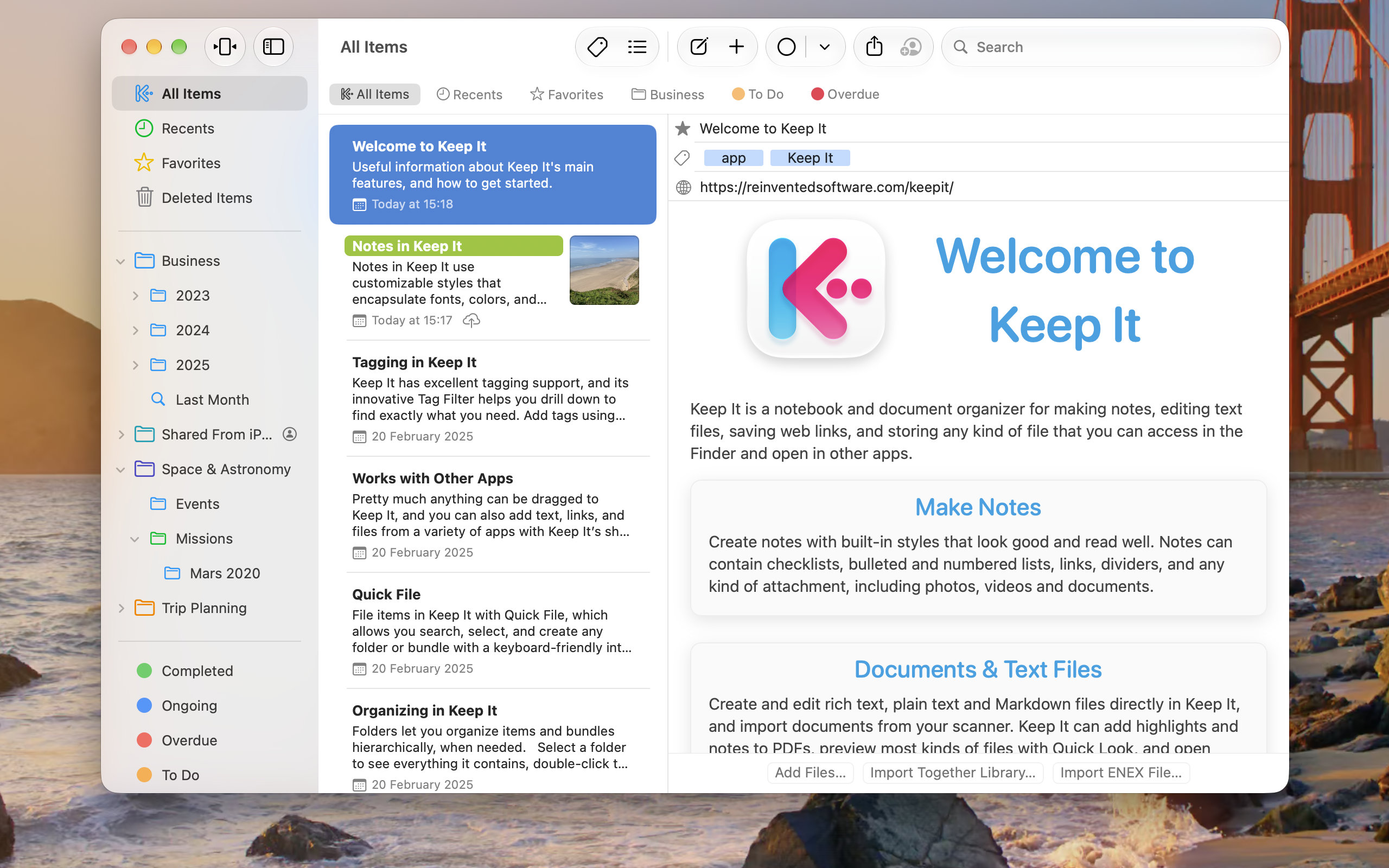
Keep It automatically benefits from other macOS 27 changes such as sharper app icons, improved toolbar buttons, and the restoration of the separated sidebar, accent colors in the sidebar, toolbar backgrounds, and the tighter window corner radii of previous macOS releases.
iOS 27 and iPadOS 27
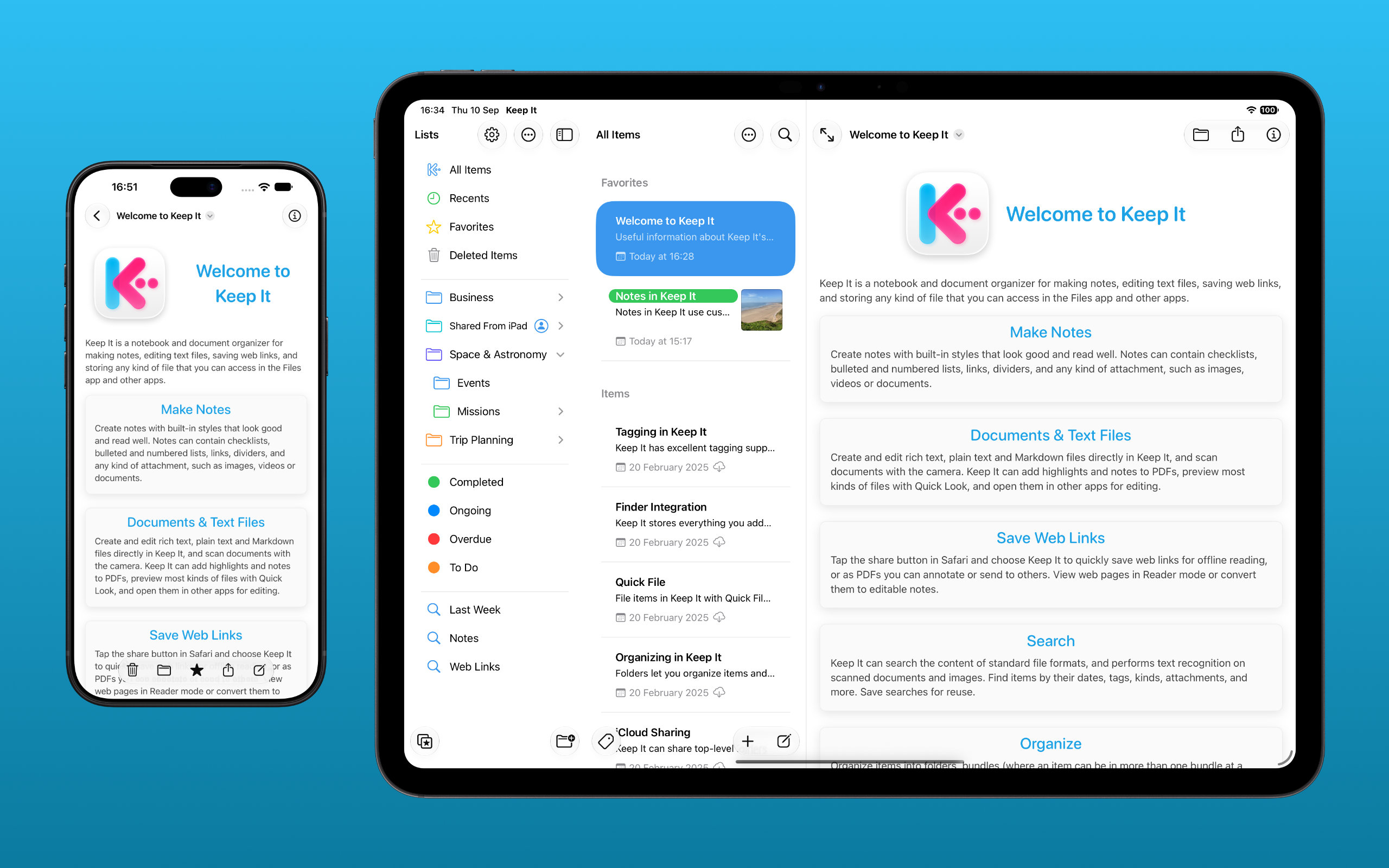
Similar to the Mac version, on iPad, icons are only shown in menus when relevant, and on both iOS 27 and iPadOS 27, Keep It benefits from changes to Liquid Glass, with improved buttons and sidebar appearance.
Notes
Paste Markdown as formatted text in notes by choosing Paste as Markdown from the Edit or contextual menu. This is useful, for example, when pasting text from sources such as AI agents. Your existing note styles will be used, same as when Keep It converts Markdown files to notes.
In addition, there are improvements when converting Markdown files that contain tables, and on iOS / iPadOS Keep It can now more reliably match header styles to its own note styles.
Shortcuts
Since Keep It 2.7, its Shortcuts actions have transitioned to a new architecture compatible with Spotlight on macOS Tahoe, and Apple Intelligence on macOS 27 Golden Gate and iOS 27 — this transition is completed in Keep It 2.9.
There is a new “Find Items” action where you can build a search based on a set of filters with more flexibility than before, particularly for names and dates. The old version of this action is renamed to “Get Items (Legacy)” and will be removed in a future release. To supplement this there is a new “Get Items from Folder” action, which can get all the items in the folder and optionally its nested folders and bundles—the “Find Items” action will only match on the exact folder.
For lists, the new “Find Lists” action provides similar functionality, and will also replace “Find Folders” and “Find Bundles”. The old versions of these have all been marked as “Legacy”.
The monolithic “Set Properties on Item” action will be replaced with the following discrete actions, which are a much better fit when using natural language creation in Shortcuts:
- Rename Item
- Change Item Comments
- Change Item Source
- Add Favorite Item
- Remove Favorite Item
- Add Tags to Item
- Remove Tags from Item
- Change Label on Item
…and these will replace the functionality of “Set Properties on List”:
- Rename List
- Move List to List
- Change List Color
- Add Favorite List
- Remove Favorite List
There are also new actions for working with labels:
- Add Label
- Rename label
- Change Label Color
- Add Favorite Label
- Remove Favorite Label
- Find Labels
On all OS versions, actions in the Shortcuts app are now grouped by category.
Search
On Mac and iPad, it’s now possible to right-click chosen suggestions to show a contextual menu to modify them, and on iPad or iPhone to tap them and show the context menu. Also, when using the “contents:” keyword, a corresponding suggestion will be included in the list.
On Mac, when a saved search is selected in the sidebar, its rules are no longer shown in the search field (that was a provision before Keep It had a saved search editor), and on iPhone, when you navigate back to the Lists view, the current search will be cleared.
More
Keep It can now better handle the import of large Bookmarks HTML files, improves Library Settings on iPhone and iPad, and shows a clearer and localized duration for movie and audio files in the items list. Finally, when importing from Apple Notes on macOS 27, Keep It can convert horizontal dividers.
Keep It for Mac 2.9 requires macOS 15 or later, and Keep It for iPhone and iPad requires iOS 18 or later. For all full list of changes, see the Release Notes: